
The Handteq platform
Inspection Software Built for the Work in the Field
Handteq connects configurable forms, photo-linked field records, management review, and reporting in one platform.
Product examples
From inspection questions to a complete field record
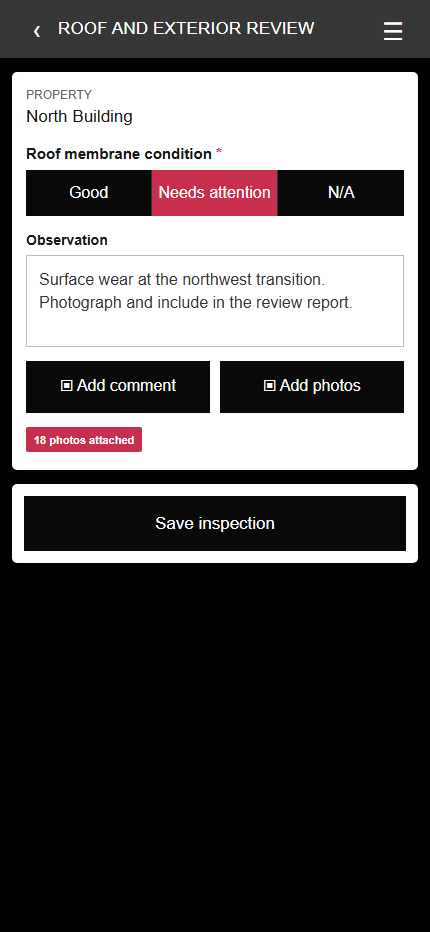
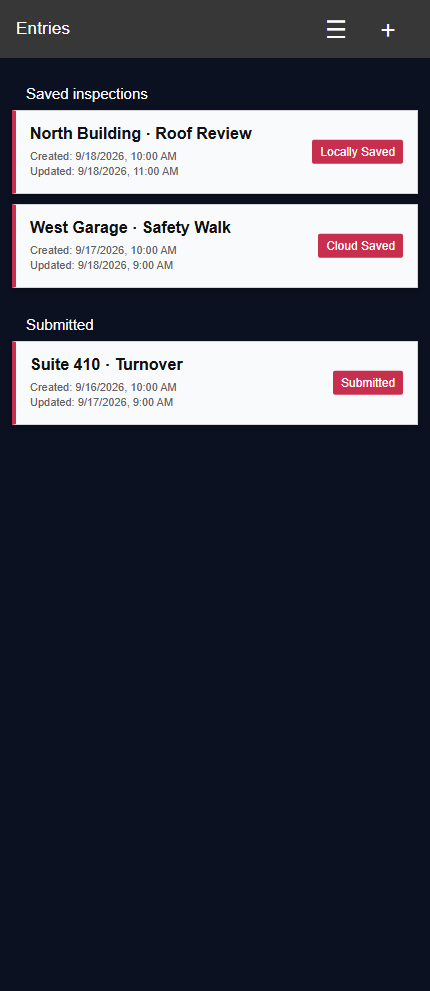
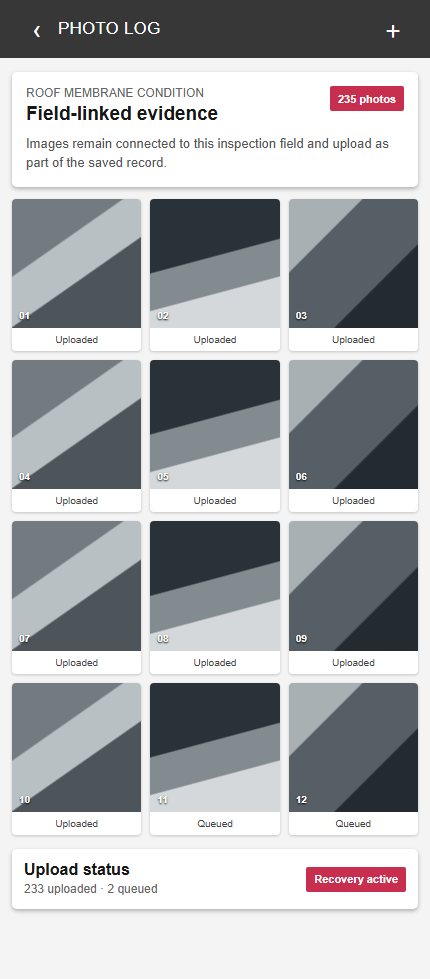
Customers can have their own branded iOS and Android inspection app, with forms and modules configured for the agreed workflow. Field teams can capture answers and photos, save work locally, and track submission status.
Swipe or use arrow keys to view all three examples.
One connected workflow
How Handteq works
- 01Configure
Set up forms, assignments, and evidence.
- 02Inspect
Capture mobile responses and photos.
- 03Review
Check submitted records and images.
- 04Report
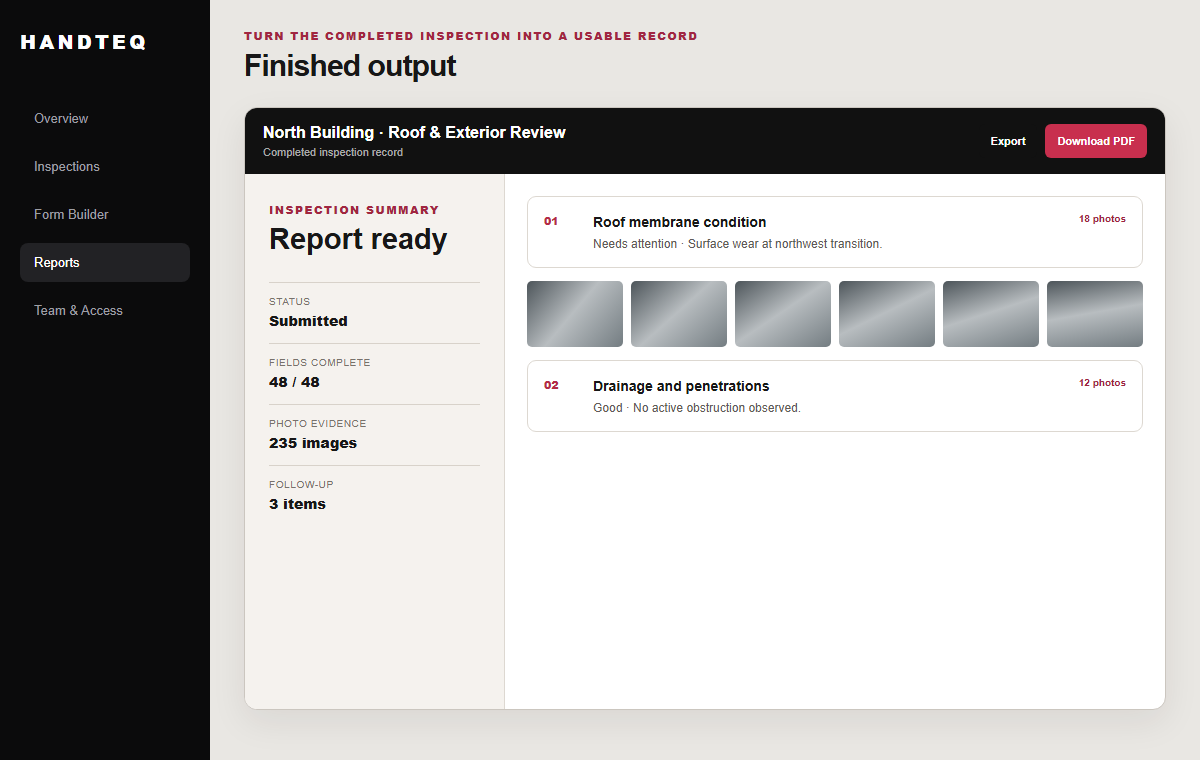
Deliver reports, PDFs, or exports.
A modular product
Forms and modules configured around your operation
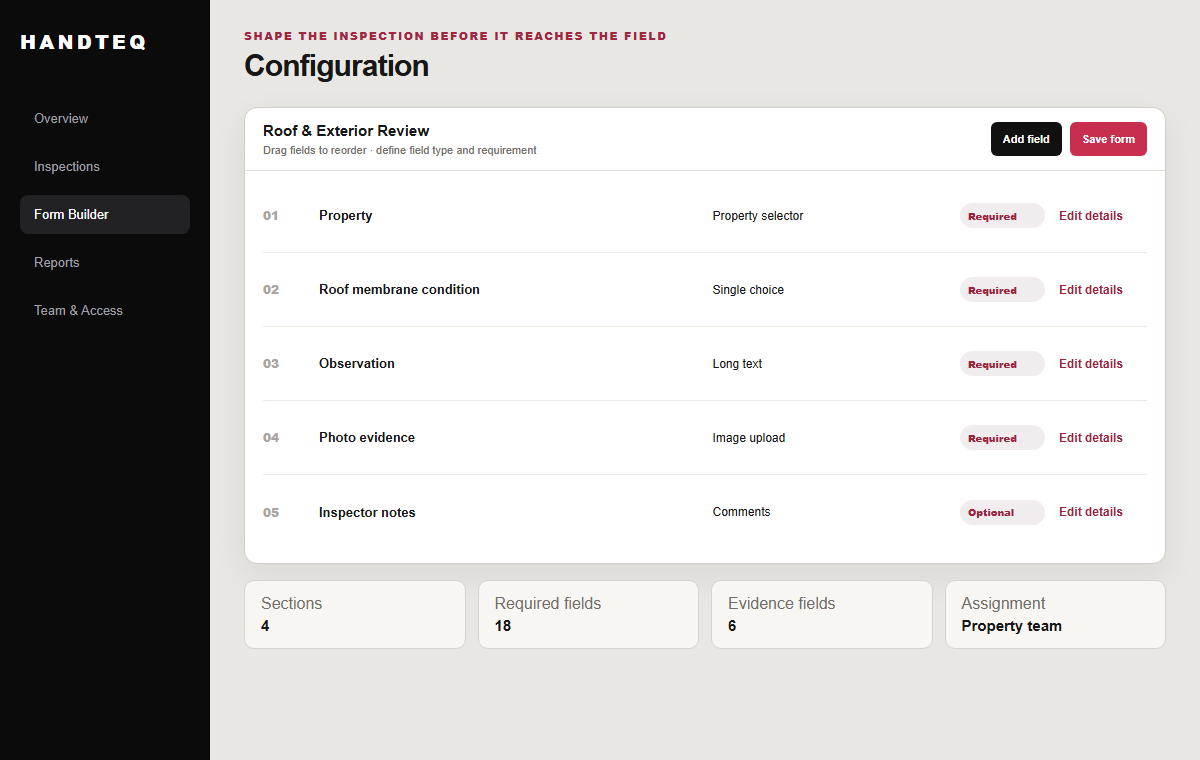
Combine forms and modules for the inspection and reporting work your team does. Reuse common components where appropriate; tailor the rest through configuration.
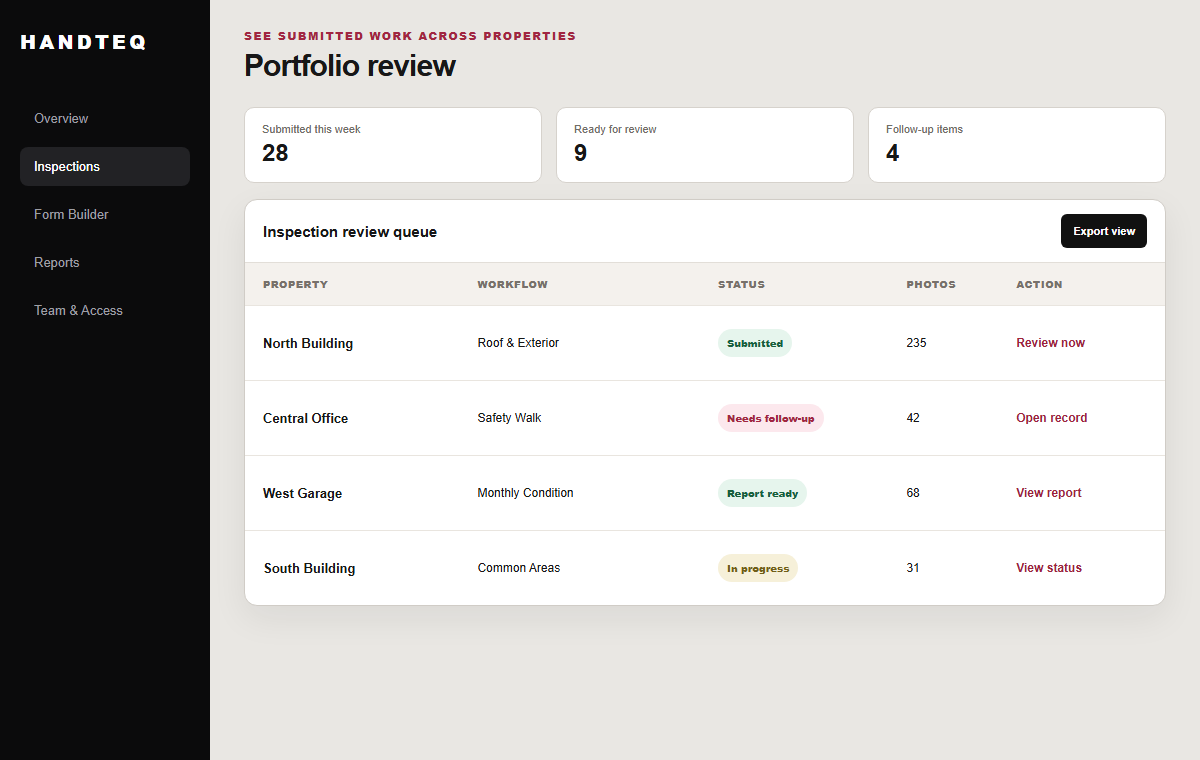
A real field-work differentiator
Built for photo-heavy inspections
Inspection photos stay with the findings they document and the finished record. Local drafts, visible upload status, and upload recovery support longer field sessions.
Illustrative example
Findings and photos in one record
Harbor Plaza — Building A · Roof and exterior visual review
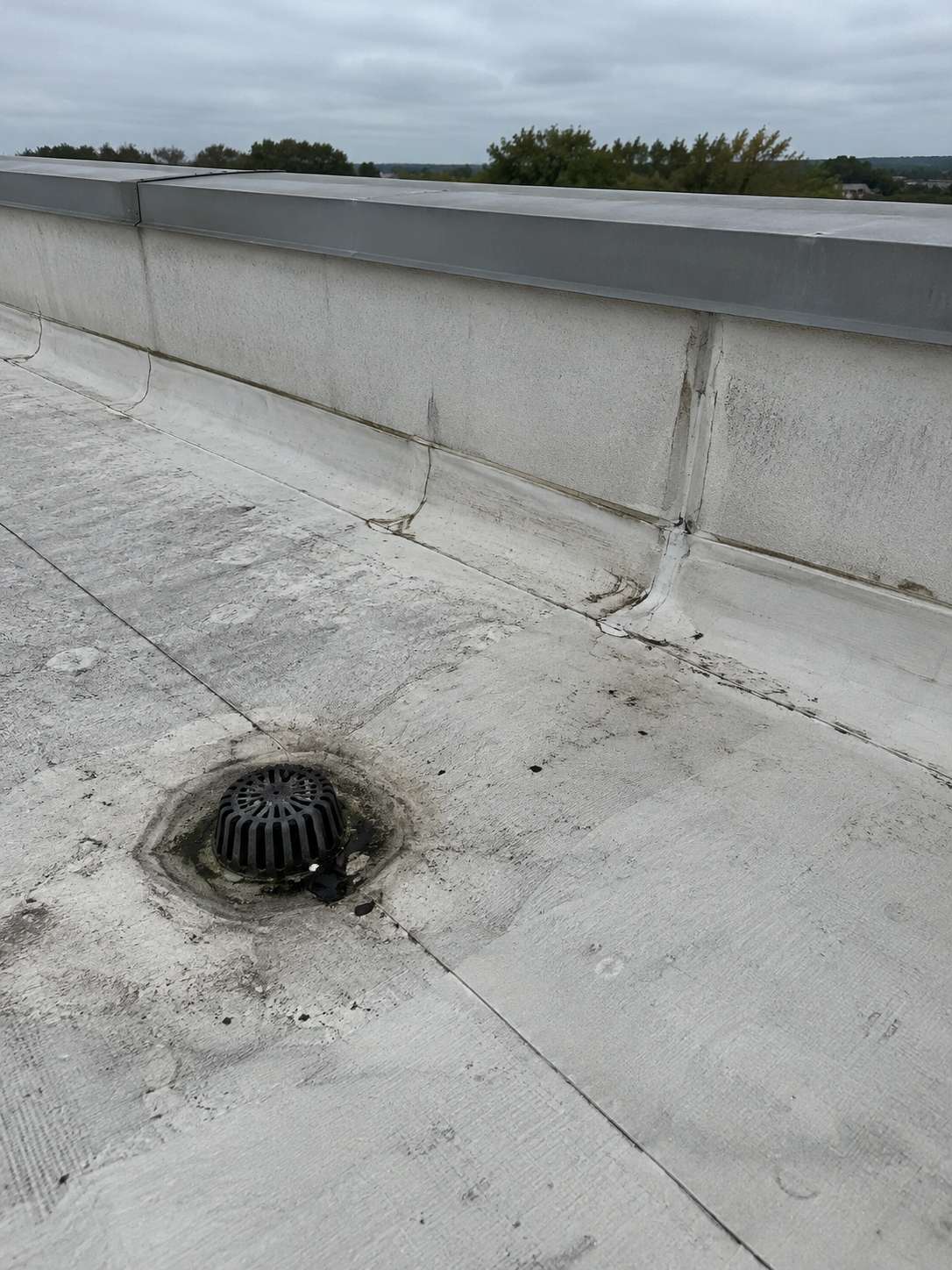
Roof membrane condition
Needs follow-up. Localized wear visible at the northwest roof transition; document and route for review.
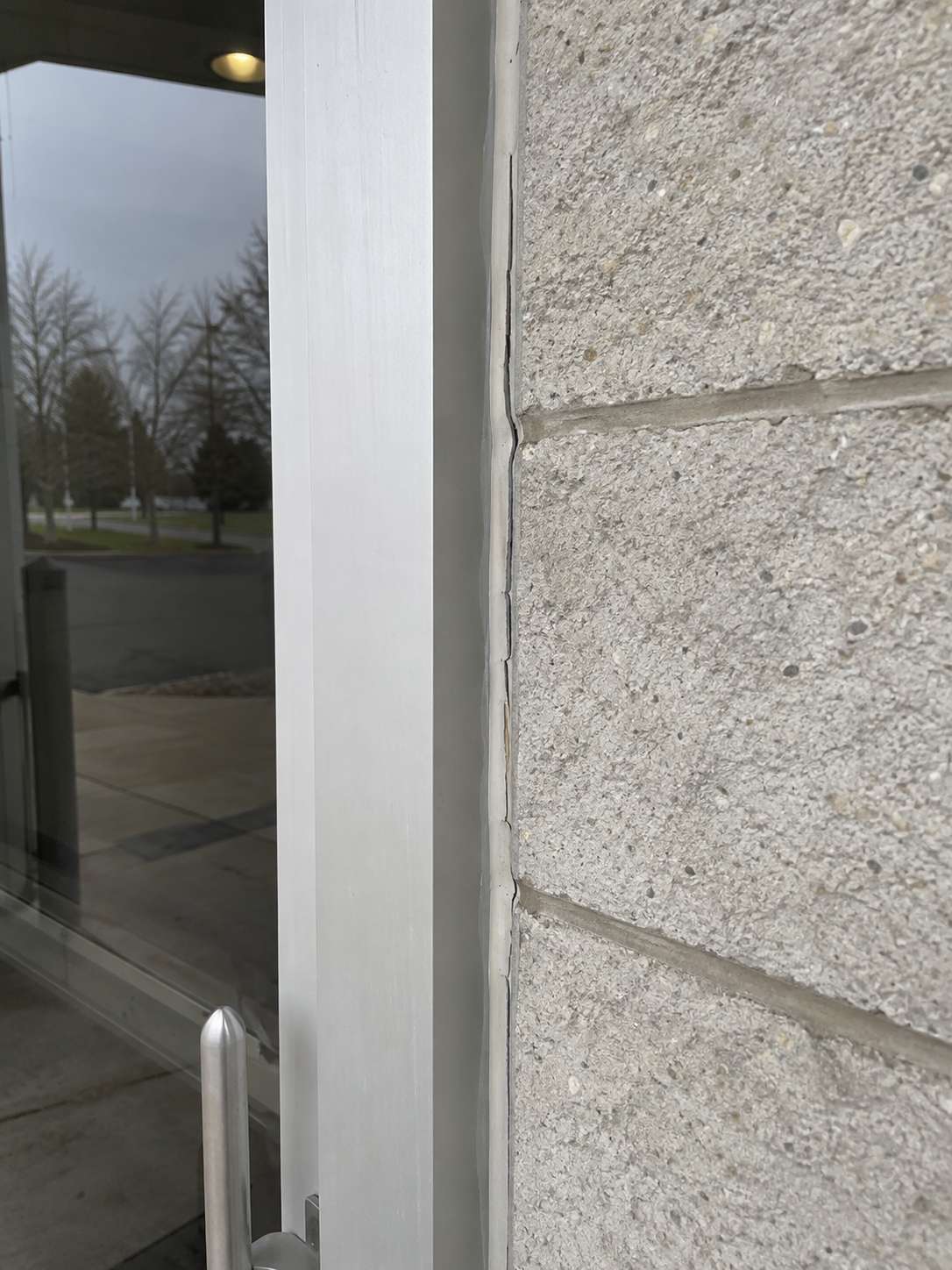
East entrance
Generally serviceable; isolated sealant gap at the east entrance.
Recommended follow-up: Review the roof transition and east entrance sealant; record disposition in the finished inspection report.
The on-page example is illustrative. The PDF is a sanitized application export using sample data and illustrative photos.
Before your demo
Practical buying answers
- Which devices do inspectors use?
- Field teams use iOS and Android apps; available features depend on the configured deployment.
- What happens when connectivity changes?
- Local drafts and upload recovery support interrupted field sessions. We can show the save and submission steps for your workflow.
- What can reviewers receive?
- Submitted records keep responses and field-linked photos together for management review and configured reports, PDFs, and exports.
- How is the implementation scoped?
- Configuration is the starting point. We discuss your inspection types, rollout, support, and commercial scope; custom development is available for needs outside the platform.
Customer success
Help beyond setup
We help with configuration, rollout, and ongoing refinement.
Custom development is available where platform configuration is not enough.
How we support customersPlan your demo