
Commercial inspection solutions
Commercial Building Inspection Software
Document building condition, keep photos with each finding, and give your team a clear inspection record to review and share.
Product examples
Follow a condition finding into the report
Keep a building observation and its photographs connected from the survey to the finished record.
Inspect building condition, area by area
Give building engineers and property teams a mobile form suited to the survey. Record condition, observations and supporting photos as each area is inspected. Handteq helps configure the forms for your inspection needs.
For a roof and exterior survey, record the roof condition and its photos, then document an entrance condition as a separate finding. See inspection checklist design for help planning what to inspect.
Field teams use iOS and Android apps. Your organization can also have its own branded app as part of the agreed deployment.
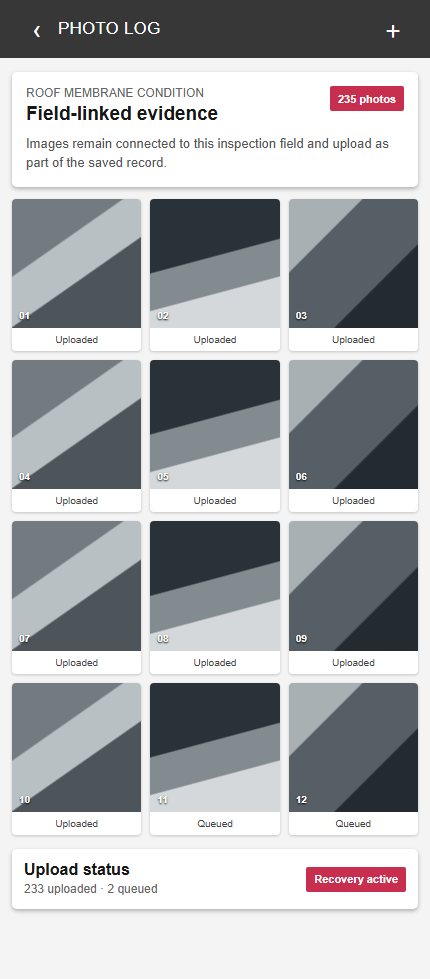
Keep inspection photos with the findings
A photo log is more useful when the reviewer can see what each photograph documents. Keep images with the relevant inspection question and observation, so the condition and supporting detail can be reviewed together.
Local drafts, visible submission status and upload recovery support interrupted field sessions. We confirm connectivity requirements for your deployment during setup.
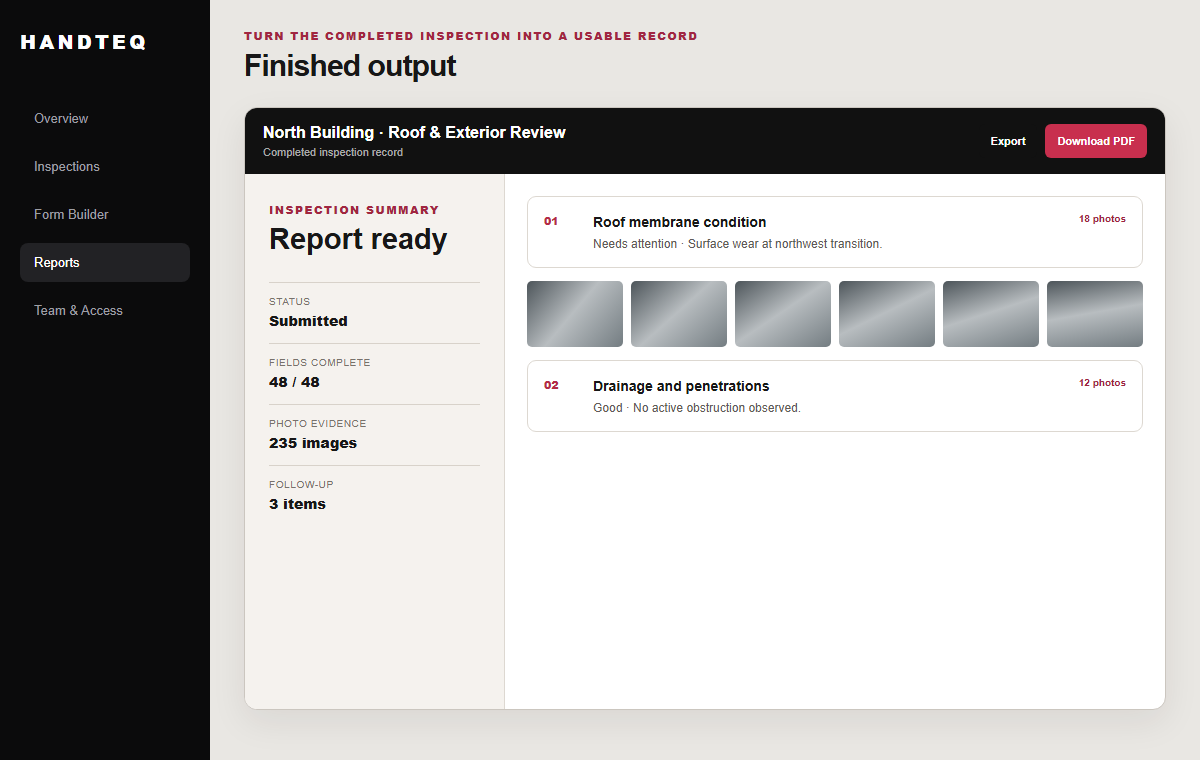
Review findings and share a useful building report
Managers can review the submitted responses and photos together. Configured reports, PDFs or exports give the next person a clear inspection record; the format and content are agreed during setup. View the roof and exterior report example.
Handteq helps configure and test the survey, support rollout and refine the agreed process. Implementation and support explains how we help.
For programs combining building surveys with recurring audits, turnovers and safety checks, explore commercial property inspection software.